CINEMas
CineMás is a regional movie theater that provides quality cinema experiences for the whole family. However, they faced the challenge of offering an efficient process for users to access movie listings and purchase tickets without waiting in long lines. The goal of the project was to design a mobile application that would allow users to view movie showtimes and purchase tickets quickly and easily.
December 20, 2021
Team Lead, UX/UI Designer, Visuals, Interaction.
Figma, FigJam.
01
Project Initiation
Problem Statement:
CineMás movie theaters did not have an online system for purchasing tickets, resulting in long lines and wait times. This primarily affected parents and adults with busy schedules, who could not take the time to buy tickets in person.
Objectives:
To design an app that allows for quick billboard consultation and ticket purchase.
Facilitate the ticket-buying experience for busy and working parents, allowing them to avoid lines.
Implement a ticketing system that will enable CineMás to improve its online advertising and movie accessibility.
02
User Research
Competitive Analysis:
I conducted a competitive analysis of existing cinema apps in the Caribbean region, including Caribbean Cinemas and Palacio del Cine, two of the top players in the market.
Understanding Users:
Interviews were conducted with target users and empathy maps were created to understand their needs. From this research, it was identified that the primary users were working adults and parents looking to save time and simplify the ticket-buying experience. In addition, observations on how family and work obligations limited their entertainment options were included.
Key Findings:
The research revealed that time is one of the most critical factors for users. Many users want to simplify the purchase process and receive personalized updates on movies of interest to them. In addition, parents are looking for an interface that allows them to quickly check the availability of children's movies.

03
Design Process
Paper Wireframes:
Developed storyboard of the current processes to enter it and then created paper wireframes to create quick proposals for handling and placement in different target ways to ensure that the elements addressed key user issues, such as ease of navigation and quick access to the billboard. Several iterations of evaluation were done, before getting the final elements.
These initial sketches were the basis for the digital wireframes, prioritizing a simple user flow that allowed for seamless selection and purchase of tickets.
Low-fidelity Prototype:
Low-fidelity Prototypes were then developed to add interactions and senses to the flows that were used in usability testing to check that the selection and purchase process was intuitive and efficient.
Usability Studies:
The first round of usability studies indicated that users wanted to see listings for all movie theaters and by genre. The second round highlighted the need to simplify the ticket purchase process.
Accessibility Considerations:
Icons for easy navigation, simplified terms, and Alternative texts for images, improving access for visually impaired users.
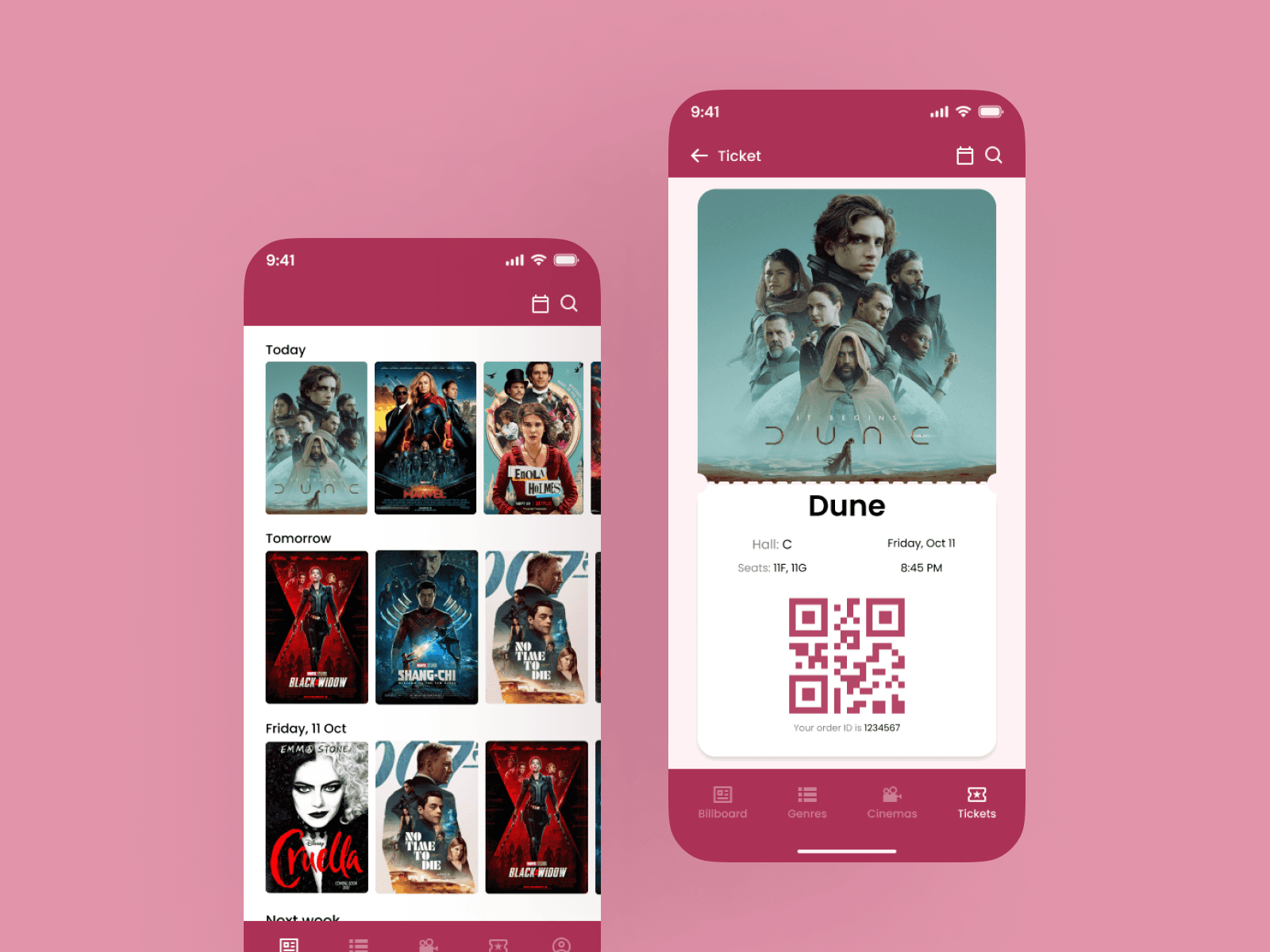
The integration of a QR code for movie ticket confirmation simplifies the access process, reducing the need for physical manipulations and minimizing cognitive effort.
Key Functionalities:
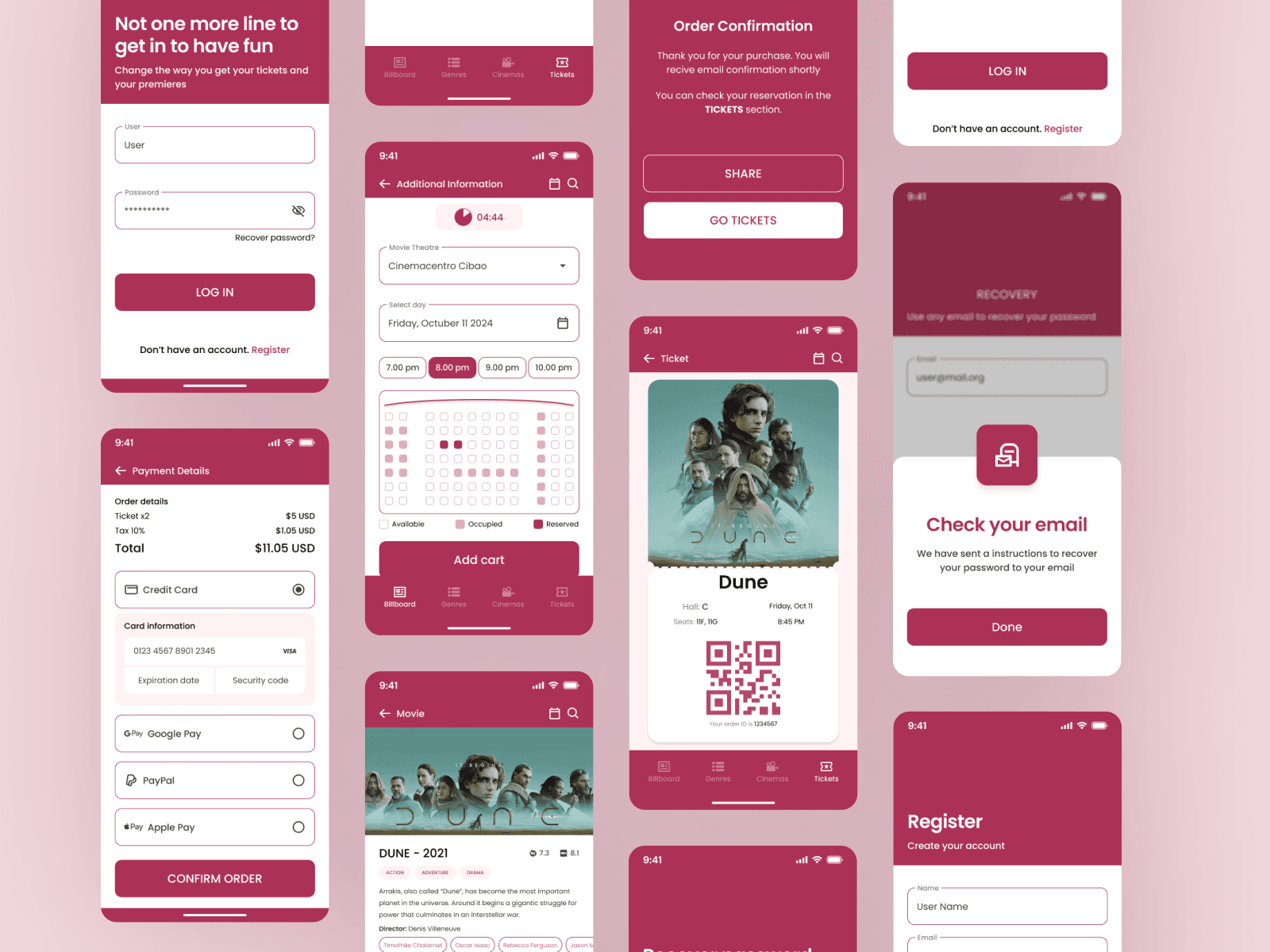
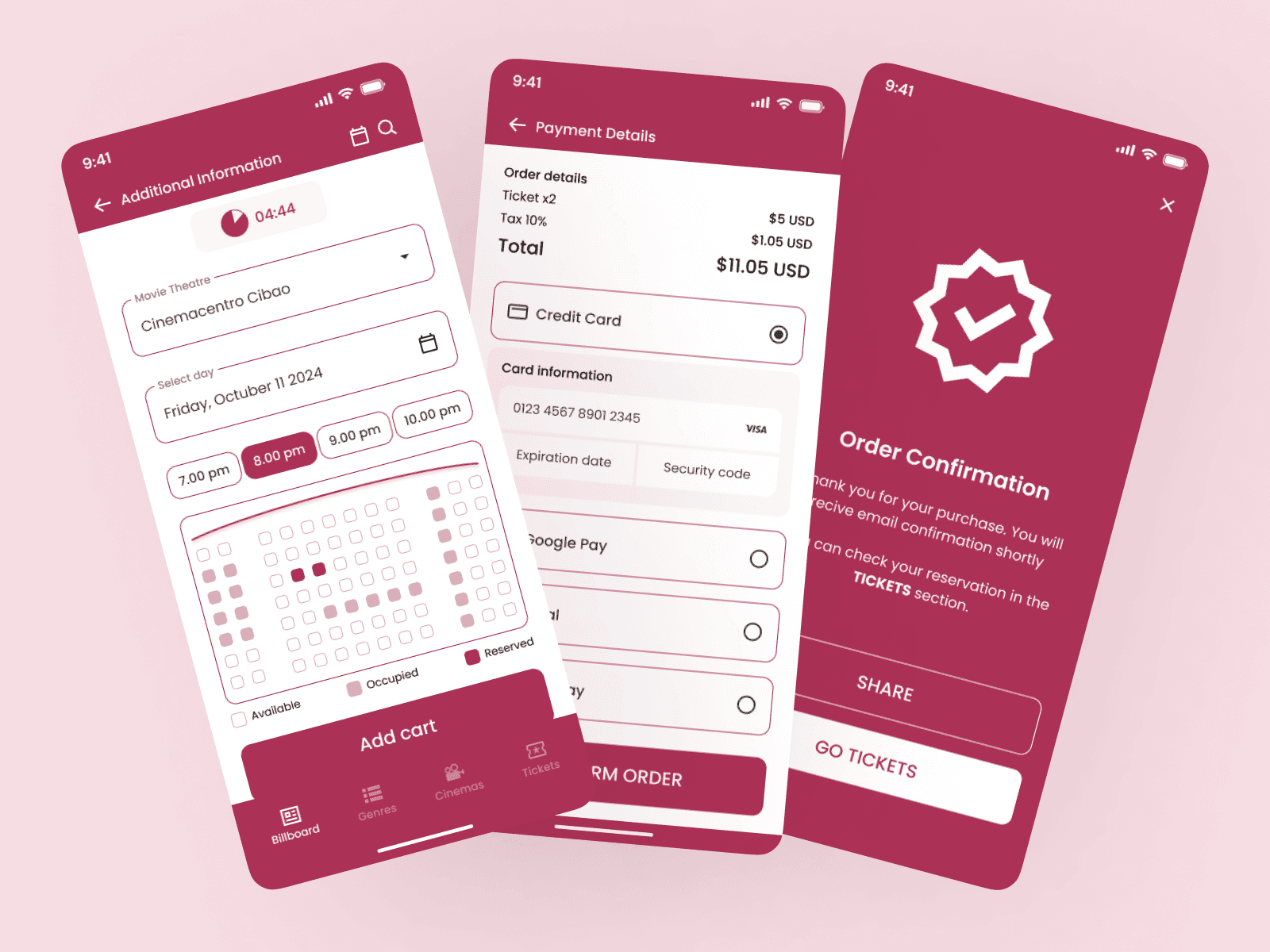
Personalized Billboard: The app displays available movies organized by genre and by theaters.
Quick Ticket Buy: Users can select the movie, and time and purchase tickets in just a few clicks.
Personalized Notifications: Users can receive alerts about new movies and promotions, according to their preferences.
Digital Ticket: Users receive a digital ticket that they can show directly at the theater to avoid lines.
04
Project Completation
The app employs a simple and straightforward navigation system that allows users to move effortlessly between different sections and features, ensuring a smooth and enjoyable user experience.
Expected Results
Significant reduction of waiting time in lines.
Increased use of the app to purchase tickets.
Increased user satisfaction, especially among parents and working adults.
Lessons Learned
Iterative design based on testing with real users is critical to ensure that the solution is responsive to the needs of the audience.
Considering accessibility from the beginning allowed for the creation of an inclusive experience.